
OXAM Updated 2025-07-16
This is apparently where past exam papers can be found. Paywalled of course.
This adds to the mess of having a different location for material per department. Presumably this exists because the central university authority wants to centralize examinations to have better control over degree requirements. If only they would also do the same for all materials and end the mess.
less (Unix) Updated 2025-07-16
Steganography Updated 2025-07-16
Mentava Updated 2025-07-16
www.mentava.com/
Mentava's software-based daily tutor gets students on track for college-level math and computer science before high school.
Pepe the Frog Updated 2026-01-30
Ciro Santilli's hardware Backpacks Updated 2026-10-18
2024-04: got two backpacks "for free" with the Lenovo reward points from buying the Lenovo ThinkPad P14s gen4 amd, not bad, that was already cheap and now I got some extra swag:The sport backpack has a fatal flaw: no strap to hold laptop in place, so it just tumbles back and forth as you walk.
- Lenovo Select Targus 16" Sport Backpack: www.lenovo.com/gb/en/p/accessories-and-software/cases-and-bags/backpacks/gx41l44751
- Lenovo Select Targus 16" Mobile Elite Backpack: www.lenovo.com/gb/en/p/accessories-and-software/cases-and-bags/backpacks/gx41l44752. Measured weight: 1070 g
Ciro Santilli's hardware Wearables Updated 2025-07-16
Cool data embedded in the Bitcoin blockchain Largest ordinal inscription Updated 2025-07-16
We can get a list of the ordinals at: archive.org/details/bitcoin-ordinal-inscriptions.csv and then sort them by payload size with:
sort -k6 -n -t, ordinals.csv -o ordinals-sort-size.csvThis shows to us that as of block ~831k, there are 4 ordinals which are far far larger than any other between 3 MiB and 4 MiB, at about 10x larger than then 5th one d115a6e689086fd587e5032f24ba2a8c01f2f87cba758c9d5eb8cf7f6e9a816a
In those cases, a single inscription takes almost the entire block, and the inscribers must have had direct dealings with their mining pool:
- ordinals.com/inscription/4af9047d8b4b6ffffaa5c74ee36d0506a6741ba6fc6b39fe20e4e08df799cf99i0: 3,946,469 bytes (image/jpeg). Bitcoin Magazine cover showing the face of Julian Assange. tx 4af9047d8b4b6ffffaa5c74ee36d0506a6741ba6fc6b39fe20e4e08df799cf99 block 786501 (2023-04-22). Mined by Terra Pool.
- ordinals.com/inscription/0301e0480b374b32851a9462db29dc19fe830a7f7d7a88b81612b9d42099c0aei0: 3,915,537 bytes (image/jpeg). Taproot Wizards ad. This was apparently the largest block ever mined at the time: www.reddit.com/r/Bitcoin/comments/10r6t1l/the_first_4_mb_block_in_bitcoin_history_mined_by/ and received some notice. tx 0301e0480b374b32851a9462db29dc19fe830a7f7d7a88b81612b9d42099c0ae block 774628 (2023-02-01). Mined by Luxor pool.
- ordinals.com/inscription/79b91e594c03c8f06d70c44a288a88a413c540abca007829ca119686a7f979dai0: 3,878,842 bytes (image/webp). "Bitcoin War Bonds". A spoof of something. No time to understand now. tx 79b91e594c03c8f06d70c44a288a88a413c540abca007829ca119686a7f979da block 777945 (2023-02-23). Mined by Terra Pool.
- ordinals.com/inscription/b5a7e05f28d00e4a791759ad7b6bd6799d856693293ceeaad9b0bb93c8851f7fi0: 3,379,682 bytes (video/mp4). Short looping video of a "purple frog drinking from a glass with a straw". Yes you heard that right. TODO context? tx b5a7e05f28d00e4a791759ad7b6bd6799d856693293ceeaad9b0bb93c8851f7f block 776884 (2023-02-16 ) Despite being huge, this received very little attention, the only Google mention is at An overview of recent non-standard Bitcoin transactions by 0xB10C. Mined by Terra Pool.
Peter Thiel Updated 2025-07-16
PayPal founder Updated 2025-07-16
An overview of recent non-standard Bitcoin transactions by 0xB10C Updated 2025-07-16
Obsidian (software) Updated 2025-07-16
Good:
- WYSIWYG
- Extended-Markdown-based
- help.obsidian.md/Getting+started/Sync+your+notes+across+devices they do have a device sync mechanism
- it watches the filesystem and if you change anything it gets automatically updated on UI
- help.obsidian.md/links#Link+to+a+block+in+a+note you can set (forcibly scoped) IDs to blocks. But it's not exposed on WYSIWYG?
Bad:
- forced ID scoping on the tree as usual
- no browser-only editor, it's just a local app apparently:
- obsidian.md/publish they have a publish function, but you can't see the generated websites with JavaScript turned off. And they charge you 8 dollars / month for that shit. Lol.
- block elements like images and tables cannot have captions?
- they kind of have synonyms: help.obsidian.md/aliases but does it work on source code?

List of personal knowledge base software Updated 2025-07-19
Lists:
- www.bibsonomy.org/user/bshanks/education fantastic list, presumably by this guy:
- www.reddit.com/r/Zettelkasten/comments/168cmca/which_note_taking_app_for_a_luhmann_zettlekasten/
- www.reddit.com/r/productivity/comments/18vvavl/best_free_notetaking_app_switching_from_evernote/
- github.com/topics/note-taking has a billion projects. Oops.
- github.com/MaggieAppleton/digital-gardeners
- www.noteapps.ca/
Personal knowledge base software recommendation threads:
TODO look into those more:
- roamresearch.com/ no public graphs
- nesslabs.com/roam-research-alternatives a bunch of open source alternatives to it
- Trillium Notes. Notable project! Pun unintended!
- Stroll giffmex.org/stroll/stroll.html. How to publish? How to see tree?
- tiddlyroam joekroese.github.io/tiddlyroam/ graph rather than text searchable ToC. Public instance? Multiuser?
- Athens github.com/athensresearch/athens rudimentary WYSIWYG
- Logseq github.com/logseq/logseq no web interface/centralized server?
- itsfoss.com/obsidian-markdown-editor. Closed source. They have an OK static website publication mechanism: publish.obsidian.md/ram-rachum-research/Public/Agents+aren't+objective+entities%2C+they're+a+model but leaf node view only for now, no cross source page render. They are committed to having plaintext source which is cool: twitter.com/kepano/status/1675626836821409792
- CherryTree github.com/giuspen/cherrytree written in C++, GTK, WYSIWYG
- github.com/dullage/flatnotes: Python
- github.com/usememos/memos: Go
- github.com/siyuan-note/siyuan: Go
- github.com/vnotex/vnote: C++
- github.com/Laverna/laverna: JavaScript
- github.com/taniarascia/takenote
- github.com/silverbulletmd/silverbullet: TypeScript, Markdown, web-based WYSIWYG, focus on querying
Major downsides that most of those personal knowledge databases have:
- very little/no focus on public publishing, which is the primary focus of OurBigBook.com
- either limited or no multiuser features, e.g. edit protection and cross user topics
- graph based instead of tree based. For books we need a single clear ordering of a tree. Graph should come as a secondary thing through tags.
Closed source dump:
- www.toodledo.com
- Simplenote: en.wikipedia.org/wiki/Simplenote, by WordPress.com operator company Automattic
List of search engines Updated 2025-07-16
Search engine optimization Updated 2025-07-16
2D continuous game Updated 2025-07-16
OurBigBook dynamic tree Updated 2025-07-16
Sponsor Ciro Santilli's work on OurBigBook.com 1000 Monero donation Anonymity of the donation Updated 2025-07-16
The first sensation Ciro Santilli got was as if God himself had come down from heaven to toy with an unsuspecting human being. God running an experiment. Or perhaps an AGI that had already secretly taken over. Not very different.
Like with God, this was the answer to Ciro's prayers on Twitter. A one way conversation that leaves you uncertain of the details.
Whichever the case, Ciro is going to put on the best show he possibly can for your money, documenting every step along the way in usual fashion!
Ciro ran this over and over in his head, and the only big risk of anonymity is that if this money is ever proven to be from the proceeds of crime, he would have to give it back to the government and "lose one year's salary he would have otherwise gained".
However, that worst case scenario is not bad enough. If anything, it was a great excuse to quit his job for his family and wife is already worth it. Ciro could do it and survive, though situation would deteriorate slowly. But he was a coward previously.
Ciro does however feel that there is good chance that it is legitimate.
Ciro Santilli's Stack Overflow contributions are exceptional, he's amazing right! He deserves this! Of course, there is danger in this rationale which scammers could exploit. But bro, if scammers are going to send 100k USD to me, then please continue to do so!
Also which criminal would be stupid enough to donate proceeds of crime to a highly public person who is going to clearly announce it?
Just be warned, if you come with a baseball bat trying to get the money back by force, I will call the police immediately and by God you will not get it!!
Given this, Ciro just keeps thinking about the likely profile of the donor:
But the "why anonymous if not criminal" question remains. Generally rich people want recognition both for:Two options that come to mind:
- reputation washing
- to make their donation mechanisms higher profile which allows raising more and attracting better candidates and reach greater impact
- rich crypto dude that doesn't want thieves to know he is rich
- more public rich person that doesn't want association with Ciro Santilli's naughty projects, notably Ciro Santilli's campaign for freedom of speech in China, but perhaps also CIA 2010 covert communication websites, which could hurt business.
- crazy rich person with a philosophy of "if they knew who I was it might interfere with what they do". AKA a God.
Sponsor Ciro Santilli's work on OurBigBook.com 1000 Monero donation Updated 2026-03-28
On 2024-03-18, Ciro Santilli received an anonymous 1000 Monero donation (worth ~126k USD at the time) to his self-custody wallet, which pushed him over his public plea for 100k USD goal to quit his job for one year.
The transaction ID was
5c6af4df39021f3a4a053ef169c9b397e6d6bf6c7e557d3f08e4e1675d7d3eed to self hist custody wallet with address 47kzoCeRMTohJhADejtsGmGimvQKzNsuST7u2aVhAD1VX5WDbh3v1FPUoJoTK3NTJVUgAM3dWCqC4Tmp9KSQaJi6GGYWgYn. This is a roof generated by his Monero wallet: InProofV2AVFBmFhofH4GoG5NsaDutkdNWRTaEhuFgHpHTkpprRmuZ54B8FdUwFp71gqfp2jJpDUrhB3GCzZ2p8CNbh2TW1Z88ShmYWEwtkZFLccEMw9PhH3vWcMVo9mKaRsH3WgJXqq9.Since this donation is so huge, it deserves some comments and a bit of a retrospective. The path to this donation has been an interactive one, and it is described below.
After starting the OurBigBook Project, Ciro started the sponsor Ciro Santilli's work on OurBigBook.com page on cirosantilli.com and setup some donation methods to help support the project, and possibly try to capitalize a bit on Ciro Santilli's Stack Overflow contributions.
His sponsors are absolutely crazy amazing people, but Ciro simply could attract a large enough amount of small sponsors to reach life changing amounts under those circumstances. This is partly due to Video "And I am not and never have been 'familiar' scene from The Big Short (2015)".
As such, Ciro came to realize more and more that the best approach would be to reach out to a smaller number of rich people, given that the things he works on niche, but may appeal to a particularly wealthy tranche of the population: STEM people. Other experiences and ideas that contribute to this realization are:
- the creation of the OurBigBook Fellowship, which as of writing consisted of a single donation. During this exercise, Ciro Santilli gave about 2k USD to help a promising Brazilian student. In doing so, he understood a lot about what goes on inside a "rich person's" head when considering a donation
- it is hard to decide who to donate to and find those people. In part because as soon as you create a public donation system with an application process, people will game the fuck out of it. Perhaps the Lost Horse LLC approach of "they find you" is the best?
- it is basically impossible to donate more than 1% of your net worth if you have a family. Even 1% you may be discouraged about. Perhaps with reason due to previous bad donations they have made.
- the increasing wealth inequality of this world, perhaps one of the greatest problems we now face
Then, whenever a larger donation would come through and surprise Ciro, he would improve his sponsor page statements. First a private 150 USD by an awesome sponsor. Then the 2023-09 ~810$ Bitcoin one. Finally came the 2023-11-20 100 Monero one. And it was that one that pushed Ciro to start his "100k USD = 1 year campaign".
Finally on Wednesday 2024-03-13, Ciro received an anonymous 10 Monero donation to self-custody wallet. He had clearly stated that one should make a test donation to that wallet before the big one, so 10 Monero felt like it could be the test one. Ciro announced its reception on Sunday March 17, probably having noticed it after the usual weekend check:
Over the next few days, Ciro checked his wallet more often than his previously self imposed once a weekend max, and as expected, he found the big one on a slightly despaired around midnight sleepless night (partly due to parenthood). He was feeling particularly bored and a bit sad with his work life that night. And there it was. 1000 Monero on the wallet. Needless to say, not much sleep was done on that evening!!!
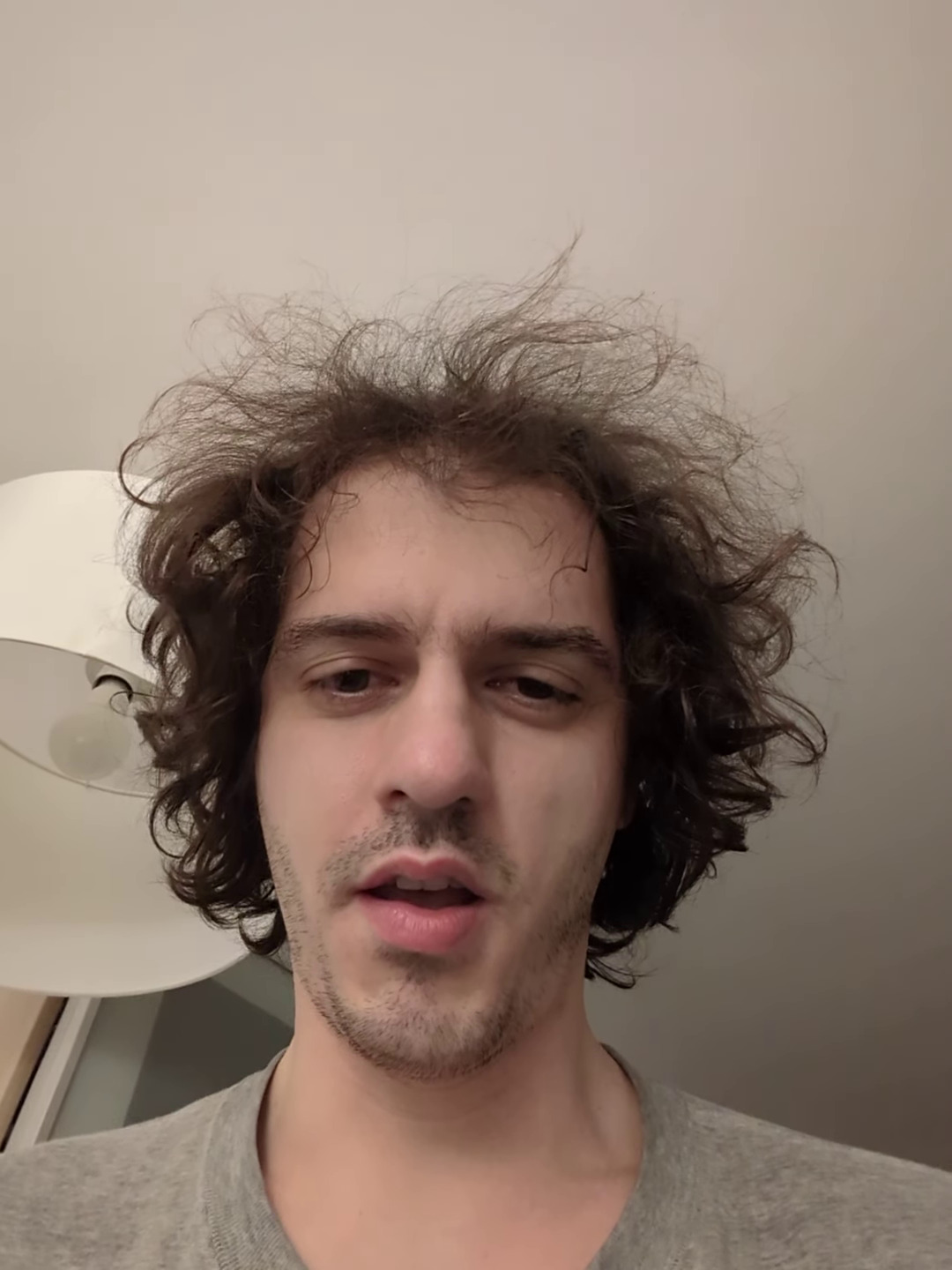
Still of the reaction video after finding out about the big donation around about midnight
. Source. 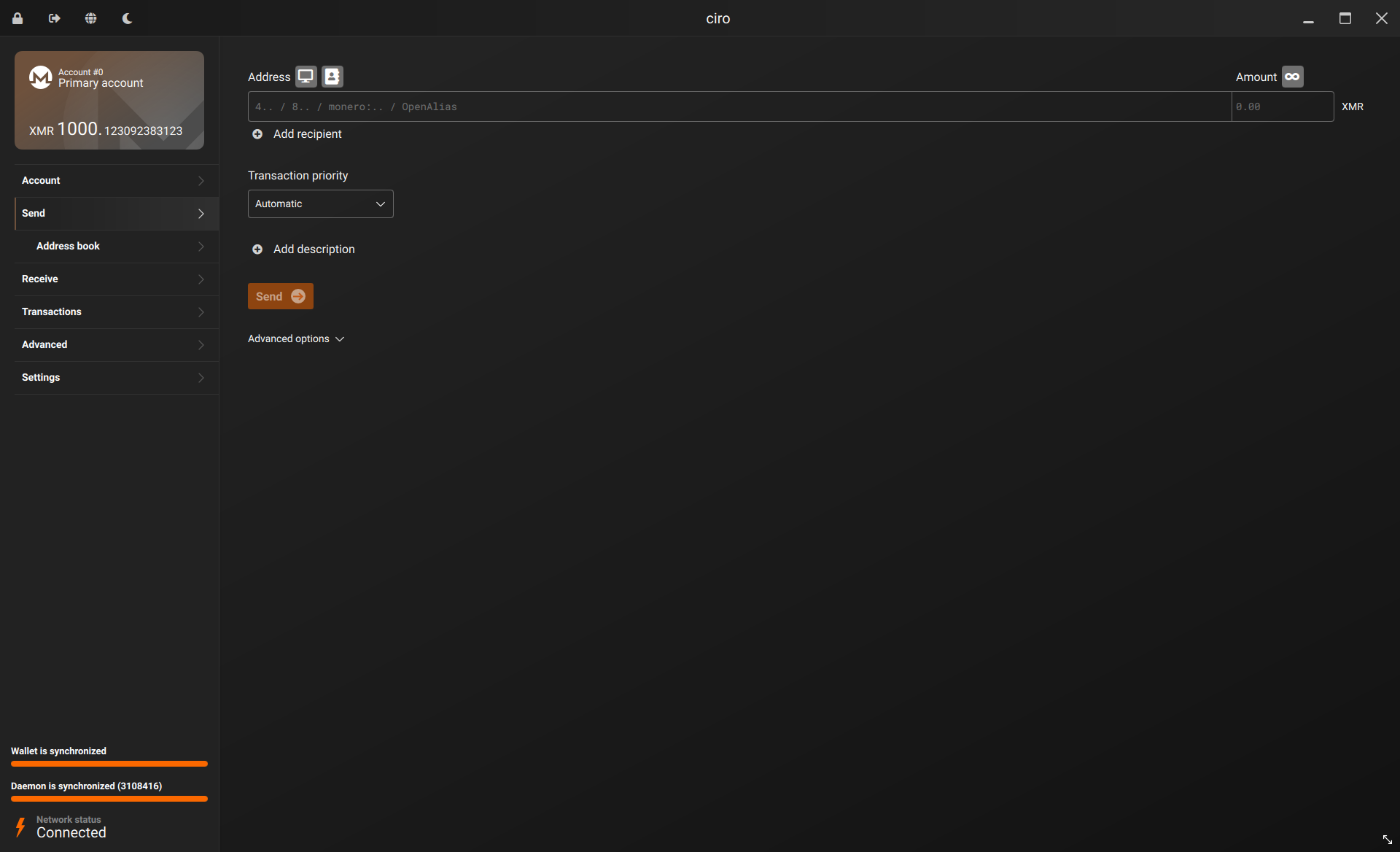
The following days were also tense, with Ciro having a trial by fire on selling large amounts of Monero on the UK, which is not trivial as it had been banned from all major exchanges. But he managed. Further notes on that at: www.reddit.com/r/Monero/comments/17arz9f/converting_xmr_to_gbp_in_the_uk/. Ciro also decided to keep about 200 Monero around just for fun as a crazy moonshot.
Another major factor likely Ciro having published his article: Section "Cool data embedded in the Bitcoin blockchain" in 2019. This is something he wrote entirely for fun during an intense 3 week side-time binge in 2019, though some large updates were made later on. It was this article that likely some crypto-dude attention to Ciro Santilli's profile. As of 2024, there is said to be about 20 crypto billionaires, so perhaps there are about 2000 crypto 10 millionaires[ref], which is the minimum net worth for a donation of 100k USD to be feasible (1% mark). And perhaps a reasonable number of them are just nerds who got rich, and want to improve the world. There are two lessons from this:
- follow your instincts, always. If something seems mega fun and quick, do it!
- making money from a few rich people (or entities like organizations) is easier than working for a bunch of poor people, because you have to convince less people. If you reach many poor people however, things are much more stable as you can lose a few customers and still be fine
Another factor in the donation, Ciro Santilli believes, is that many rich people thing that education is bullshit. Many successful people are neurodiverse and as such, it is only natural that a large number of rich people want to improve our educational system, which tends to be the very epitome of "boring and average normality" which Ciro Santilli so much detests. This can also be seen in people such as:
- Michael J. Saylor and his Saylor Academy
- Peter Thiel and his Thiel Fellowship
Announcements:
- pre-announcement before everything was clearly documented online:
- main announcement
Amazing reactions from the Monero Reddit community: www.reddit.com/r/Monero/comments/1brryao/ciro_santilli_received_a_1000_xmr_donation_to/These people have some serious trust issues!!! Perhaps not surprising from a privacy coin community. Ciro's Twitter post: twitter.com/cirosantilli/status/1775961945193017790
geonic_comments:Reaction video is fake. Very bad acting.
Inaeipathycomments:-TrustyDwarf-comments:rbrunner7comments:

There are unlisted articles, also show them or only show them.